Verified guide with cited sources · Last updated: August 9, 2026 · Next review: November 2026
Hello, virtual world enthusiasts! Ready to dive into Roblox's boundless universe but unsure where to begin? Don't worry: the game.fr editorial team is here to guide you. This complete guide, thoroughly checked against official sources (Roblox Corporation, US regulators, and specialist publications), will help you explore with confidence and stay informed. With 381.8 million monthly active users and 132 million daily active users, Roblox remains the world's largest game creation platform[1]. But 2026 has also brought major changes: mandatory age checks for chat, a complete overhaul of the Premium subscription, and a wave of legal actions concerning child safety. Here's what you need to know.
- Create an account and get started on Roblox Sign-up, installation, interface
- The best Roblox games in 2026 Top 5 + 2026 sensations
- Safety & parents' guide Age checks, scams, ongoing legal cases
- Robux and Roblox Plus explained Prices, Plus replacing Premium
- Create with Roblox Studio Roadmap, Lua, DevEx
- FAQ — Your questions answered 5 key questions
- Final verdict & getting-started checklist What to do now
- Sources & methodology All our references
4 verified key figures: 381.8M monthly active users, 132M daily active users, $4.9B in 2025 revenue, $1.5B paid to creators
Roblox by the numbers — official sources, August 2026
Source: Roblox Corporation, Q4 2025 / Q1 2026 reports[1]
Getting started on Roblox: Your first step into the metaverse
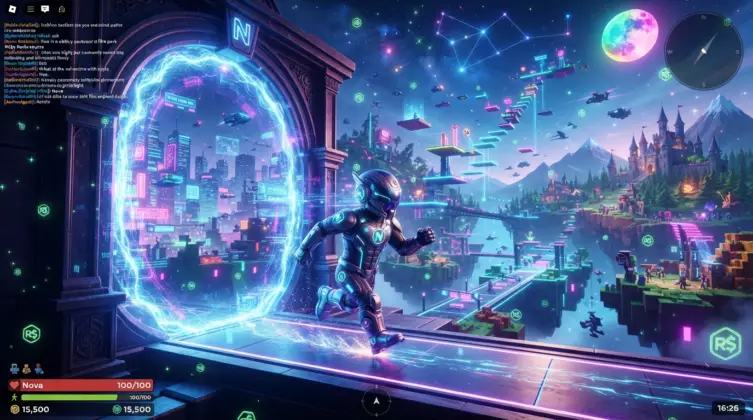
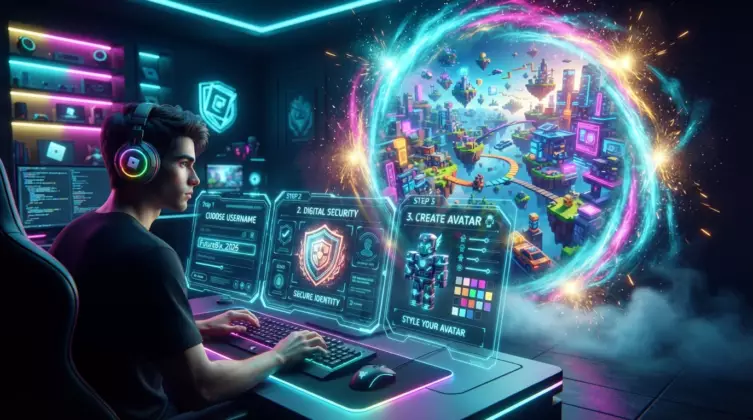
Before you jump into the action, you need to create a Roblox account. That's where your adventure begins! Follow these tips to sign up quickly and securely without any hassle.
Create an account step by step: Get started today!
Head to the official Roblox website! It's the starting point for your journey. Click the “Sign Up” button and follow these simple steps to create your player profile:
- A great username: Choose a unique, memorable handle that represents you.
- A strong password: Security comes first! Use a complex password with letters, numbers, and symbols. At least 8 characters.
- Your date of birth: Enter it accurately so the right age restrictions and settings apply.
- The rules: Read and accept the terms of use.
Once you've signed up, the editorial team has two more tips: verify your email address and enable two-factor authentication (2FA) immediately in your security settings. This adds substantial protection against account theft. It takes about 30 seconds and can save you a lot of trouble!
Install the Roblox client: Explore millions of worlds!
- On PC/Mac: Download the installer directly from the official website.
- On mobile (iOS/Android): Search for “Roblox” in the App Store or Google Play.
- On console (Xbox): Find it in the Xbox digital store.
- On Chromebook: Download it for free from Google Play on compatible devices.
Find your way around Roblox: Your adventure dashboard
- Left sidebar: Home, Games, Creations, Friends, Messages — your main navigation
- Central area: Recommended games and current trends
- Search bar: Find any game in seconds
- Profile menu (top right): Settings, inventory, account
- Avatar tab: Customize your appearance
- Account + verified email + enabled 2FA = strong protection from the start
- You can change your username (1,000 Robux); your display name can be changed for free every 7 days
- Free installation on every platform in under 5 minutes
- An intuitive interface with 5 main areas to learn first
The best Roblox games: Our must-play picks
With millions of creations available, how do you find the gems? The game.fr team has explored the platform to pick out some of the most engaging Roblox experiences around.
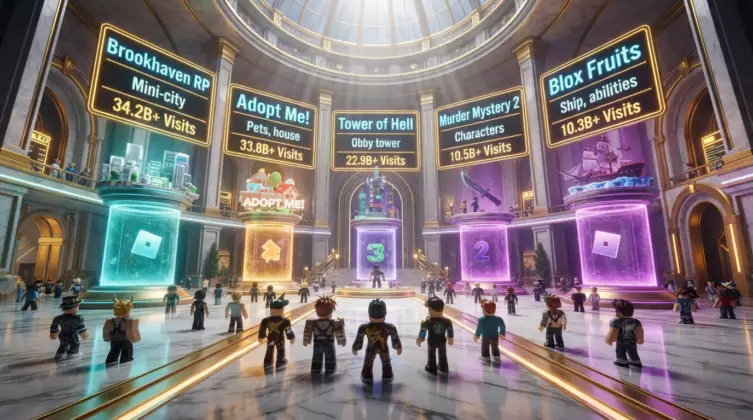
All-time top 5 by total visits
| Rank | Game | Total visits (2026) | Notes |
|---|---|---|---|
| 01 | Brookhaven RP | ~83B+ | The most visited game in Roblox history; taken over by studio Voldex in 2025 |
| 02 | Blox Fruits | ~62B+ | Combat RPG inspired by One Piece |
| 03 | Adopt Me! | ~44B+ | Pet-raising simulation, especially popular with younger players |
| 04 | Tower of Hell | ~30B+ | Parkour and skill-based challenges |
| 05 | Murder Mystery 2 | ~22B+ | Investigation and social survival |
Source: Statista rankings cross-checked with platform data, 2026[4]
The 2026 sensations to know
Two newer games have shaken up the rankings: Grow a Garden, a gardening simulation that became the fastest game to reach 1 billion visits (in just 33 days) and broke the platform's concurrent player record; and Steal a Brainrot, developed by a small team in around four months, which reached 25 million concurrent users in September 2025[5]. Their success shows that small studios can still break through on Roblox.
Games by genre: Find your next favorite!
| Genre | Recommended game | Age | Why we like it |
|---|---|---|---|
| Adventure | Jailbreak | 12+ | Escapes, chases, cooperation and competition |
| Simulation | Welcome to Bloxburg | 8+ | Open-ended management and a customizable home (25 Robux — one-time access) |
| Role-playing | Royale High | 7+ | Immersive fantasy and extensive customization |
| Horror | Piggy | 10+ | Group survival and frightening, addictive scenarios |
| Shooter | Arsenal | 10+ | A changing lineup of weapons and a fast pace |
How to identify age-appropriate games
Before starting a game, take time to check its ratings and other players' comments. Roblox's age labels (9+, 13+) indicate the content level of each experience. An open conversation at home remains the best safeguard!
- Social life and role-playing → Brookhaven RP or Royale High
- Adventure and combat → Blox Fruits or Jailbreak
- Younger players (ages 6–10) → Adopt Me! or Brookhaven RP
- Thrill-seekers → Piggy or Murder Mystery 2
- Want to try a 2026 sensation → Grow a Garden or Steal a Brainrot
Roblox safety: Protecting your children online (parents' guide)
This is the most important section of this guide, and the one that has changed most in 2026. At game.fr, we want to give you an honest picture, not simply reassure you.
Major change: Mandatory age checks for chat
Since January 2026, anyone who wants to use chat on Roblox must complete an age check, either through facial age estimation (provided by Persona) or, for users aged 13 and over, an identity document check[6]. Verified users are placed in one of six age groups (under 9, 9–12, 13–15, 16–17, 18–20, and 21+) and can chat only with users in similar groups unless they establish a connection through the “Trusted Connections” feature[7]. Roblox says images and videos used for age estimation are deleted immediately after processing.
According to Roblox's internal data, among users who had verified their age by late January 2026, 38% were 13–17, 35% were under 13, and 27% were 18 or older[8].
Recommended settings by age: chat, permitted games, and purchases for under-10s, ages 10–13, and ages 13 and over
Parental controls — recommended settings by age
| Under 10 | Ages 10–13 | Ages 13 and over | |
|---|---|---|---|
| Chat | Off | Friends only | Filtered (default), subject to age verification |
| Games | 9+ only | 9+ and 13+ | All, with supervision |
| Purchases | Off (PIN) | Monthly limit | Monthly limit |
Recommended safety settings by your child's age
Set up parental controls: Your essential digital safeguard
- Sign in to your child's account at roblox.com
- Click the profile icon (top right) → Settings
- Go to “Parental Controls” or “Parent PIN”
- Create a 4-digit PIN known only to you — keep it safe!
Identify and report inappropriate content
Help your children take part in keeping themselves safe! Teach them to tell you about any content or behavior that makes them uncomfortable. Show them how to report unsuitable messages or games directly on the platform using its built-in “Report Abuse” button.
Spotting scams: Don't take the bait!
Websites promising free Robux. They're 100% fake. Real Robux are not handed out for free.
Claims to generate Robux. In reality, it steals your login details or installs malware. Leave immediately!
A player offers to make you a game administrator. It's a phishing attempt. Ignore and block them.
An “official” link asks you to verify your details again. It's a fake phishing link. Always go directly to roblox.com.
Strangers offer to buy a child's account. They are after the account and its data. Never accept.
Roblox will NEVER ask for your password outside the official sign-in page at roblox.com.
What other guides leave out: The legal context in 2026
For an honest picture of safety on Roblox, we also need to mention the following: since late 2025, Roblox has faced a growing number of lawsuits related to child safety. Several hundred family complaints were consolidated in December 2025 into a federal class action (multidistrict litigation) in the Northern District of California[9]. Several US state attorneys general (including those of Texas, Oklahoma, Nebraska, and Tennessee) have also filed lawsuits, while other states — Alabama, West Virginia, and South Dakota — reached financial settlements with Roblox (between $10 million and $12.2 million each) alongside commitments to strengthen safety, including age checks and restrictions on adult-child interactions[10].
This does not mean the platform is inherently dangerous for every child, but parental attention remains essential even with the new safety tools. As for automated moderation, Roblox says it rapidly removes more than 99% of content it considers harmful after detection. That figure is self-reported by the company and should be viewed as a measure of its efforts, not an absolute guarantee[11].
Why communication matters: Conversation builds trust and safety
Communication is the foundation of online safety! Talk regularly with your children about the games they play, their online friends, and what they encounter on the platform. Open conversations help everyone feel more confident and make a positive Roblox experience more likely.
For more ways to protect your children online, read our 2026 Roblox parents' guide, a full guide to keeping younger players safe on the platform.
- Age checks have been required for chat since January 2026 — complete one with your child
- Enable a parental PIN and restrict chat for children under 13
- Roblox faces multiple lawsuits and state settlements in 2026 — stay informed
- Learn the 5 most common scams and discuss them with your children
- Regular conversation remains the best protection — no software can replace it!
Robux and Roblox Plus explained: Buying, spending, and the new subscription
Ah, Robux! This virtual currency is central to the Roblox experience. Knowing how to buy it safely and spend it wisely matters even more after this year's major subscription change.
What are Robux?
- Customize your avatar: Clothes, accessories, animations, and items to create a unique look
- Unlock Game Passes: Access exclusive areas, special abilities, or permanent perks
- Buy virtual items: Tools, vehicles, pets, and temporary bonuses
- Access specific games: Such as Welcome to Bloxburg (25 Robux, one time)
Official Robux prices (2026)
| Option | Robux | Price (USD) | Our view |
|---|---|---|---|
| Small pack | 400 | $4.99 | Poor value — best avoided |
| Standard pack | 800 | $9.99 | ⭐ Recommended for beginners |
| Large pack | 1,700 | $19.99 | Good for regular use |
| Big pack | 4,500 | $49.99 | ⭐ Best overall value |
| Maximum pack | 10,000 | $99.99 | Best Robux-per-dollar rate for a direct purchase |
Prices for web/computer purchases; mobile and console generally give you fewer Robux for the same amount[12]
Since April 30, 2026, Roblox Premium has stopped accepting new subscribers. It has been replaced by Roblox Plus, a $4.99/month subscription that works differently[13]: its base plan provides no monthly Robux, but offers a 10% discount on purchases made with Robux (items, avatars, Game Passes), rising to 20% after three consecutive months of subscription. It also includes free access to paid private servers and fee-free Robux transfers. Since early August 2026, optional Plus 500, Plus 1000, and Plus 2000 bundles have been available for players who want something closer to the old Premium model. Existing Premium subscribers keep their benefits, but lose the 10% bonus on Robux purchases and the Premium badge from May 30, 2026, and cannot resubscribe to the old plan if they cancel.
How to spend Robux: Let your imagination run wild!
- Prioritize Game Passes (50–500 Robux): Permanent access offers better long-term value
- For cosmetic items: Wait for seasonal sales (30–50% discounts)
- Developer Products: Consumable items to buy in moderation
How can you avoid “free Robux” scams?
For a detailed look at recent changes to the Roblox economy, read our analysis of the Robux economy update.
- The 800 Robux pack at $9.99 remains a good starting point
- Roblox Premium has accepted no new subscribers since April 2026 — Roblox Plus is now the option
- Roblox Plus focuses on discounts (10–20%) rather than a fixed Robux allowance, unless you add an optional bundle
- “Free Robux” offers are scams — no exceptions
Create on Roblox: Become the next great developer with Roblox Studio!
What if, instead of just playing, you built a world of your own? With Roblox Studio, the free official development tool, anyone can learn to make games, experiences, and items.
What is Roblox Studio?
Roblox Studio is free, intuitive software for designing, building, and publishing your own games and experiences on the platform. Its approachable drag-and-drop interface makes creation accessible to everyone. You can learn the basics of the Lua scripting language and use existing templates to get started quickly.
4 steps: Week 1 Exploration, Weeks 2–3 First project, Week 4+ Lua, Months 2–3 Published game
Creator roadmap — from beginner to published game
| Step | Time | What to do |
|---|---|---|
| 1 — Week 1 | 3–5 hours | Explore the interface and tutorials |
| 2 — Weeks 2–3 | 8–12 hours | First mini-project: a room and platforms |
| 3 — Week 4+ | 15–25 hours | Lua and scripts: basic interactions |
| 4 — Months 2–3 | 40–100 hours | Publish a complete game: polish and monetize it |
A realistic roadmap for creating and publishing your first Roblox game
Monetize your creations: Turn a passion into income
If your game succeeds, you can earn Robux and convert them into real money through the Developer Exchange (DevEx) program. In 2025, Roblox creators collectively received more than $1.5 billion through the program, up from $922.8 million in 2024 — an increase confirmed in Roblox Corporation's official annual report[14].
| Method | Typical price | One-time purchase? | Return |
|---|---|---|---|
| Game Passes | 50–500 Robux | Yes | ⭐⭐⭐ Excellent long-term potential |
| Developer Products | 10–200 Robux | No (consumable) | ⭐⭐ Good volume |
| Paid game access | 25–100 Robux | Yes | ⭐⭐ Lower volume |
The DevEx exchange rate is USD 0.0038 per Robux (around $114 for 30,000 Robux). The minimum cash-out is 30,000 earned Robux, and you must be at least 13 years old to join the program[16].
Editorial team tips for young developers
- Start small, aim high: A simple, polished game beats an ambitious but unfinished one.
- Talk to the community: Listen to player feedback and take part in forums.
- Find inspiration, but be original: Add your own touch to stand out.
- Be patient: A quality game can take 500 to 2,000 hours of work.
- Safety first: NEVER ask players for personal information.
- Roblox Studio is 100% free — there is no charge to create, test, or publish
- Follow the roadmap: Explore → Mini-project → Lua → Complete game (2 to 3 months)
- DevEx: $0.0038 per earned Robux, 30,000 Robux minimum to cash out, minimum age 13
- Roblox creators collectively earned more than $1.5 billion in 2025, but earnings were distributed very unevenly
Roblox FAQ: Your questions, our expert answers!
Final verdict: Your Roblox adventure starts here!
There you have it, fellow fans! In 2026, Roblox remains the world's largest game creation platform, with a creator economy that continues to grow. It is also under increased legal scrutiny over child safety, making active parental involvement essential alongside technical safeguards. Go ahead and explore or create — stay informed, involve your family, and turn on the right settings.
Your getting-started checklist
- Create your account and enable two-factor authentication (2FA)
- Install the client on your preferred platform
- Understand the difference between a username (paid changes) and display name (free changes)
- Complete an age check if you want to use chat
- Enable parental controls and a PIN if you are a parent
- Check whether Roblox Plus or an existing Premium plan better suits your needs
- Download Roblox Studio and follow your first tutorial if you want to create
Sources & methodology
All statistics in this article were checked against primary sources (Roblox Corporation and US judicial authorities) or reliable, dated secondary sources. Some figures change every quarter and should be checked again before future republication.
- Roblox Corporation, Q4 2025 & Q1 2026 Shareholder Letters — active users and revenue.
- Roblox Support — Changing Your Username
- Roblox Support — Changing Your Display Name
- Statista / platform rankings, 2026 visit data.
- Roblox Corporation, Grow a Garden and Steal a Brainrot growth data, 2025–2026.
- Roblox Newsroom — Roblox Requires Age Checks for Communication (Nov. 2025)
- Roblox Developer Forum — Age Check Requirement to Chat Now Live Globally
- Roblox Corporation, Q1 2026 Shareholder Letter, age breakdown of verified users.
- In re: Roblox Corporation Child Sexual Exploitation and Assault Litigation, MDL No. 3166, Northern District of California (established Dec. 2025).
- Press releases from the attorneys general of Alabama, West Virginia, South Dakota, Oklahoma, Nebraska, and Texas (2026).
- Roblox safety and moderation report, self-reported Q1 2025 data.
- 2026 Robux pricing guides, cross-checked against official tiers at roblox.com.
- Roblox Newsroom — Introducing Roblox Plus and Roblox Support — Roblox Plus
- Roblox Corp — Form ARS FY2025 (official annual report)
- Roblox Corporation, Q4 2025 Shareholder Letter, breakdown of creator earnings.
- 2026 DevEx guides, cross-checked against the official $0.0038/Robux rate and 30,000 Robux cash-out threshold.
More on this topic — Roblox
Parents' Guide
Roblox 2026: A Parents' Guide to Safe, Age-Appropriate Games
Parental controls, safety settings, and practical tips to protect your children on Roblox.
Roblox Economy
The Update Reshaping the Robux Economy
A complete analysis of recent economic changes on Roblox and their impact on creators.