Aniimo supports cross-platform progression between PC, consoles and mobile, but there is one essential condition to know before you start: your data must remain on the same server and be correctly linked to your account.
Quick answer: yes, Aniimo lets you move from PC to mobile, PS5 or Xbox without starting over, provided you use the same Aniimo Pass account and the same server. Your progression, resources and team setups can then be synchronized across compatible platforms.
To learn more about the gameplay, Twining, capture and the game's other systems, also see our complete Aniimo guide.
An Aniimo team follows the player regardless of the platform being used; shared progression depends on the account and server.
Does Aniimo support cross-save?
Yes. Pawprint Studio officially refers to cross-platform progression. A game started on PC or console can be resumed on mobile without starting from scratch.
The system synchronizes:
overall progression;
resources;
team setups;
character data within the same server.
The mobile release on September 23, 2026 confirmed this compatibility between iOS, Android, PC and consoles.
The most important rule: same account and same server
The key point is simple:
same account + same server = shared progression.
Data saved on different servers is independent. A character created on a Europe server should therefore not be considered automatically transferable to an America or APAC server.
This is especially important for players who start on console and later want to continue on PC or mobile.
Can you switch from PC to iPhone or Android?
Yes. This is the simplest case.
If you have already created your character on PC, Pawprint Studio says you simply need to:
install Aniimo on iOS or Android;
sign in with the same account;
select the same server;
resume your existing game.
The studio confirms that you will then recover your progression, resources and team setups.
Can you switch from PS5 or Xbox to mobile and PC?
Yes, but the initial console account linking requires extra attention.
The very first time you log in to Aniimo with a PSN or Microsoft account that has never been used for the game before, Aniimo displays a window allowing you to link that account to your Aniimo Pass email address.
This step is important because Pawprint specifies that this is the only opportunity to directly link the console account to an existing Aniimo Pass during that first login.
If you skip this step, a new Aniimo Pass may be created automatically for the console account.
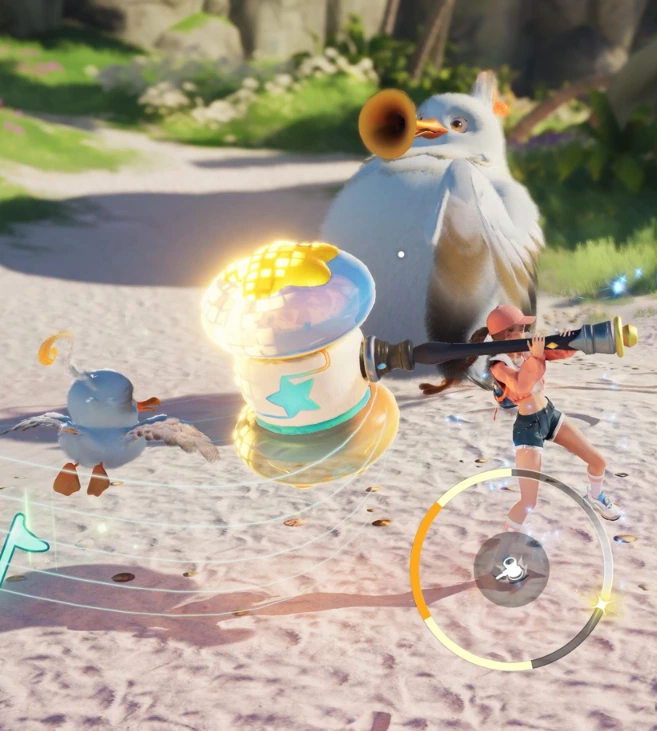
The touch controls show Aniimo's mobile version, which can be resumed after starting a game on another platform.
PS5: watch the region of your PSN account
On PlayStation 5, the server is assigned automatically according to the region registered to the PSN account.
Before linking your account, therefore, check that your PC or mobile character is on a server that matches the region of your PlayStation account.
For example, if your progression is on the Europe server but your PSN account is tied to another region, shared progression may not work as expected.
To compare the PC, PS5, Xbox and mobile versions, see our Aniimo platform comparison.
Cross-save and crossplay: what is the difference?
Feature
Meaning
Cross-save / cross-progression
Resume the same progression across multiple platforms
Crossplay
Play with users on other platforms
Aniimo supports both principles: cross-platform progression and cross-platform multiplayer.
Do purchases carry over across all platforms?
You need to distinguish between shared progression and shared purchases.
Pawprint Studio confirms that some items from console packs, once claimed on the platform of purchase and with the account correctly linked, can then be used on other platforms on the same server.
However, this does not mean that every transaction or currency is automatically identical across the different stores.
It is therefore better to claim purchased content on its original platform before checking whether it is available elsewhere.
What should you do if your progression does not appear?
Before assuming your save has been lost, check:
that you are using the same email address or the same Aniimo Pass account;
that you are connected to the same server;
that the PSN or Microsoft account was linked correctly;
that you did not accidentally create a second account;
that the game client is up to date.
If all these points are correct but your progression is still missing, use the in-game support service rather than immediately creating a new character.
Before choosing a server or restarting a game, see our Aniimo tips and mistakes to avoid.
Can you freely change servers?
Server data is independent. Pawprint Studio does not present the system as allowing free character transfers between regions.
It is therefore best to choose the correct server from the start.
Aniimo cross-save FAQ
Does Aniimo support cross-save?
Yes. Progression can be shared between PC, consoles and mobile if you use the same account and the same server.
Does Aniimo support crossplay?
Yes. The game supports multiplayer between different platforms.
Can you switch from PC to mobile without starting over?
Yes. Sign in with the same account and choose the same server.
Can PS5 progression be used on mobile?
Yes, if your account is linked correctly and both platforms use the same server.
Can you play on two different servers with the same character?
No. Data on different servers is independent.
Key takeaways
Aniimo's cross-save system is fairly simple once the account is configured correctly: same account, same server, same progression.
The main pitfall concerns the first login on console and the choice of server. On PS5 in particular, the PSN account region automatically influences the assigned server.
For all other information about the game, see our main Aniimo feature.